
For memory keepers
See the ones you love clearly again.
Upload a faded, soft or low-resolution family photo and Enhancify brings the visible detail and faces back into focus in seconds.
It works from the photo you already have. Your original stays untouched, and you can compare every change before you save.
3 free credits · No account · No card · Any device
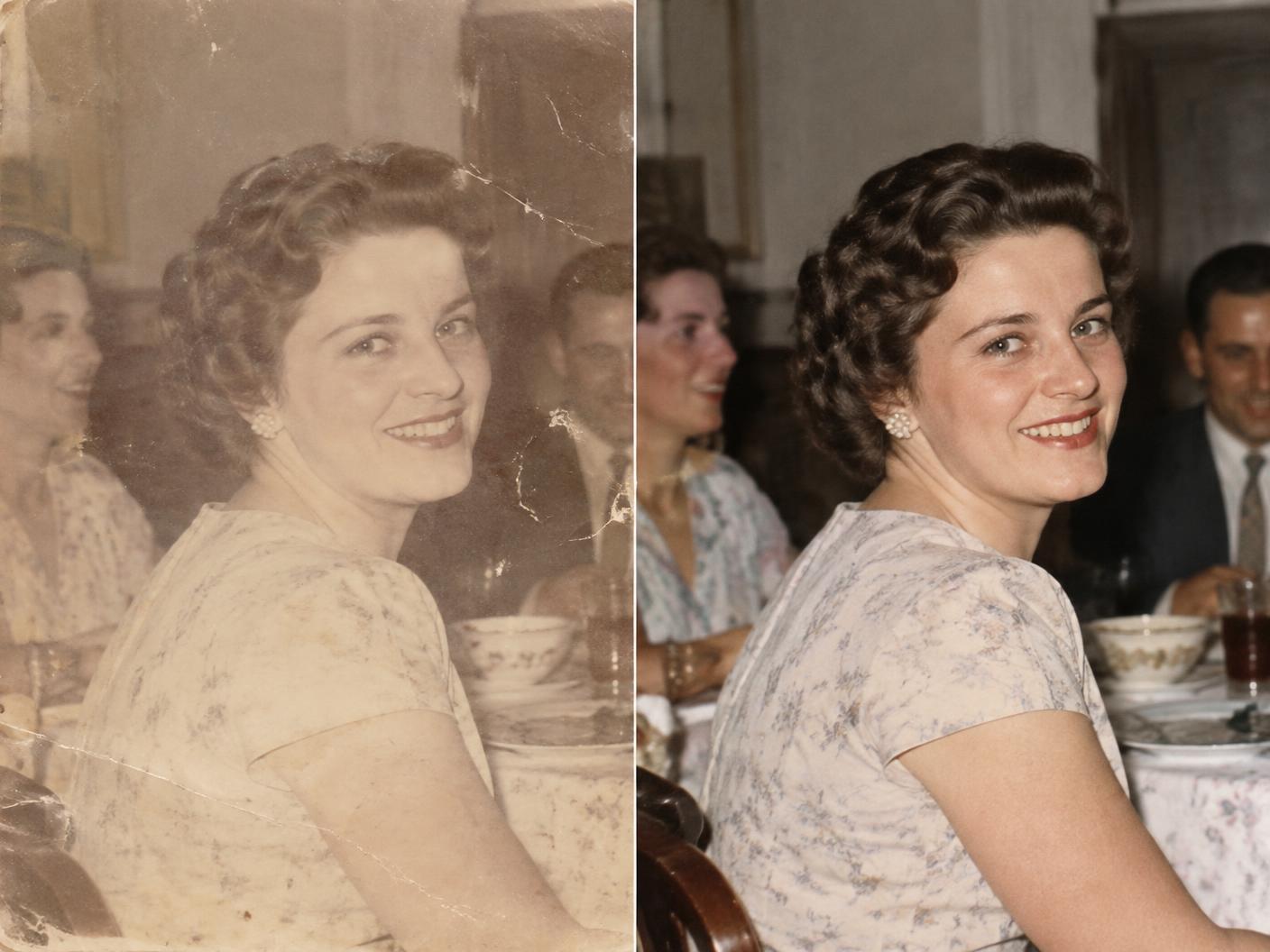 BEFOREAFTER
Why clarity matters
Some photos can never be taken again
The one photo of your grandmother, the wedding print that has faded over time, the family picture saved from an old phone — these moments are irreplaceable. Enhancify helps you preserve the detail that remains.
Simple by design
From treasured print to clearer memory
One credit enhances one photo. Your original remains untouched.
01
Upload
Choose a scan, a phone photo, or a picture of the original print.
02
Enhance
Enhancify sharpens faces, restores contrast and upscales visible detail.
03
Keep
Compare before and after, then download the version you want to save or share.
What it handles
Made for the photos that matter
- Faded family prints
- Soft or blurry faces
- Low-resolution scans
- Old phone photos
- Photos of prints
- Small images that need upscaling
A fair question
What if the result does not feel like them?
Your original is never changed. Enhancify works from its visible detail, then gives you a before-and-after comparison so you can judge the result for yourself before downloading anything.
Start with 3 free credits
No account and no card required. After that, choose 5 credits for $1.99, 15 for $4.99, or 50 for $9.99. Credits never expire.
Try Enhancify freeCommon questions
Restoring precious photos
Will the people still look recognisable?
Enhancify sharpens and upscales the detail visible in your photo. Use the comparison slider to check the result closely before saving it.
Should I upload a scan or a phone photo?
Either works. A clear, evenly lit scan usually gives the enhancer the most detail, but a careful phone photo of a print can also work well.
Can I try a very faded or blurry picture?
Yes. Results depend on how much visible detail remains, so use one of your 3 free credits and compare the result before downloading.
What happens to my original?
It stays untouched on your device. Enhancify creates a separate enhanced result, and your gallery is tied anonymously to your device without an account or email.
Can I save the restored photo?
Yes. Download the enhanced image to your device after reviewing the before-and-after comparison.
Bring a precious moment back into focus
Use one of your 3 free credits today — no account, no card and nothing to install.
Restore a precious photo