
AI photo restoration — 3 free credits, no sign-up
Restore old photos with AI, in seconds
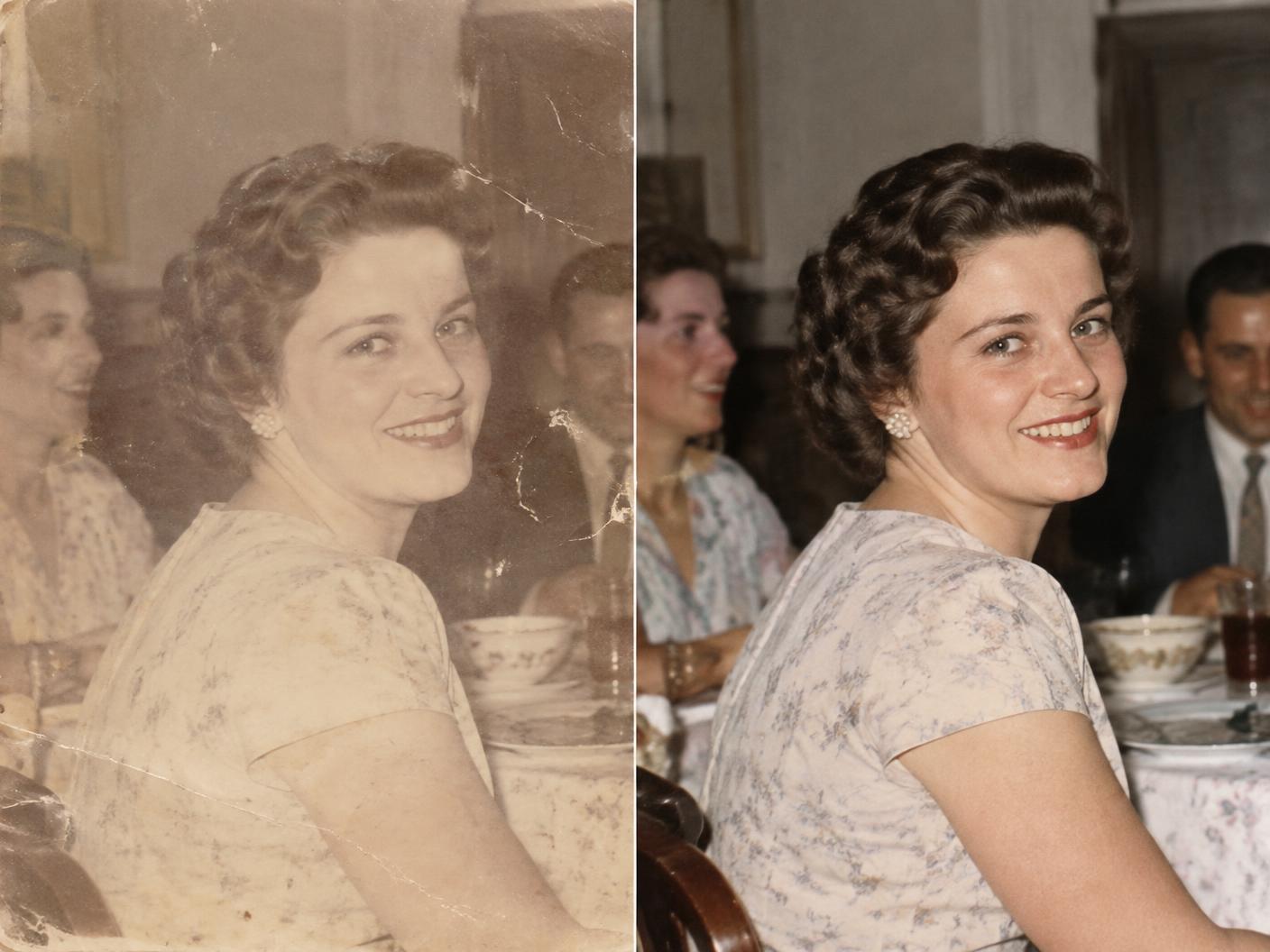
Faded prints, blurry faces, low-resolution scans — Enhancify brings them back. Upload a photo, spend one credit, and drag the slider to see your memory restored in crystal-clear detail.
Works on iPhone, Android and desktop — nothing to install, no account needed.
What AI photo restoration can fix
Old photographs deteriorate in predictable ways. Enhancify’s enhancer is tuned for exactly these problems:
Blurry or soft faces
Sharpen facial features in portraits and group shots so people look like themselves again.
Faded contrast & colour
Recover depth and tonal range lost to decades of sunlight, heat and album storage.
Low-resolution scans
Upscale small prints and phone photos of prints so they’re crisp on modern screens.
Compression artifacts
Clean up blocky, noisy images that have been saved, forwarded and re-saved too many times.
How to restore an old photo
- 1
Upload the photo
Snap a picture of the print with your phone, or upload an existing scan — drag and drop works too.
- 2
Tap “Enhance this Photo”
One credit runs the AI restorer. It sharpens, de-blurs and upscales your photo in seconds.
- 3
Compare and download
Drag the before/after slider to inspect the restoration, then download the enhanced image to keep forever.


Photo restoration FAQ
How do I restore an old photo with Enhancify?
Take a photo of the print (or upload a scan), tap “Enhance this Photo”, and the AI restores sharpness, detail and resolution in seconds. Then drag the before/after slider to compare and download the result.
What kinds of damage can AI photo restoration fix?
Enhancify is best at the most common problems in old photographs: blur, faded contrast, low resolution, compression artifacts and soft faces. It sharpens facial features and upscales the image so it looks crisp on modern screens.
Do I need to install an app or create an account?
No. Enhancify runs in your browser as a progressive web app — there’s no app-store download and no sign-up. Every new device gets 3 free credits, so you can restore your first photos free.
Are my family photos private?
Your photos are processed only to produce the enhanced result, and your enhanced gallery is tied anonymously to your own device — no account, no email, no personal data collected.
How much does photo restoration cost?
After your 3 free credits, you can top up with small credit packs — from $1.99 for 5 credits. One credit restores one photo, and credits never expire.
Your family history, restored today
Restore your first three photos free — no app-store download, no account, no email.
Restore a photo free