
For dating & professional profiles
The real you, just in focus.
Upload a soft or dim phone portrait and Enhancify sharpens the visible detail for a crisp, natural profile photo — not a heavy filter.
Enhancify sharpens your real photograph rather than applying a new look. Compare the result with the original before you save it.
3 free credits · No account · No card · Any device
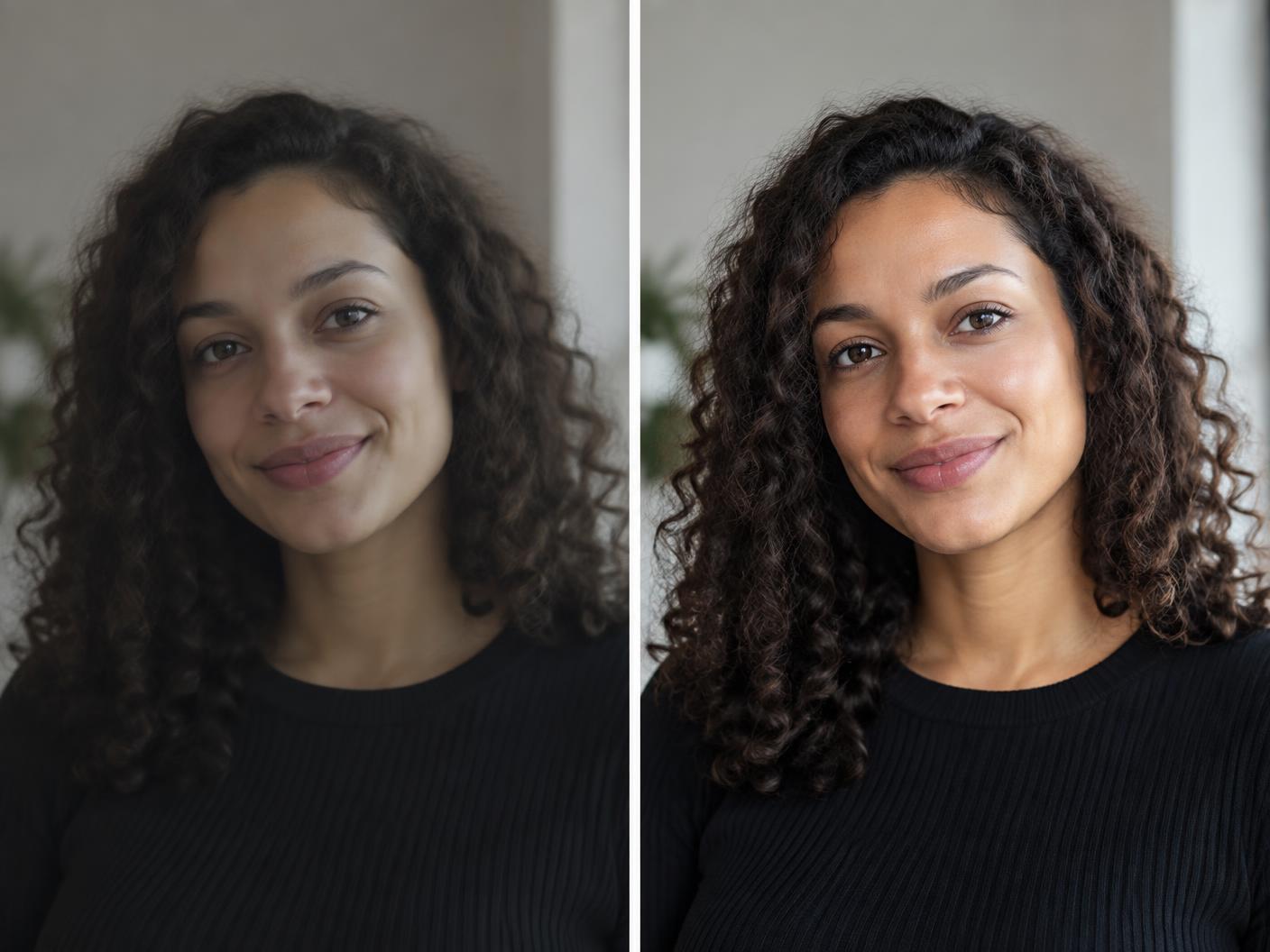 BEFOREAFTER
Why clarity matters
The best photo of you can still be slightly out of focus
You may already have the right expression and the right moment, but the image is soft, dim or cropped from a wider shot. A quick enhancement can give it the clarity a dating profile, portfolio or professional bio deserves.
Simple by design
A clearer profile photo in seconds
One credit enhances one photo. Your original remains untouched.
01
Upload
Choose the selfie, candid or headshot that already feels like you.
02
Enhance
Enhancify sharpens facial detail, lifts clarity and upscales the photo.
03
Download clean
Compare the result and save it without an Enhancify watermark.
What it handles
Ready for the places people meet you first
- Soft phone selfies
- Dim indoor portraits
- Cropped-in candids
- Professional headshots
- Dating profile photos
- Portfolio and biography images
A fair question
Will it make me look filtered or artificial?
The goal is clarity, not a new identity. Enhancify sharpens and upscales the photo you provide, then lets you compare the result directly with the original.
Try three profile photos free
No account and no watermark. If you want more options, add 5 credits for $1.99 or choose a larger pack — never a subscription.
Try Enhancify freeCommon questions
Profile photo enhancement questions
Will the result look heavily filtered?
Enhancify is designed to sharpen and upscale the photograph rather than apply a beauty-filter style. You can compare both versions before downloading.
Is there an Enhancify watermark?
No. The enhanced photo downloads without an Enhancify watermark.
Can I use it for a professional profile?
Yes. It is useful for headshots, portfolio biographies, speaker profiles and other places where a clear portrait matters.
Does it reshape my features?
This workflow is focused on enhancing clarity and visible detail, not reshaping your face.
Can I do this on my phone?
Yes. Enhancify works in your browser on iPhone, Android and desktop, with nothing to install.
Put your best real photo forward
Enhance up to three profile photos free, with no account and no watermark.
Enhance my profile photo