
For family historians & archivists
Bring the family record into focus.
Upload old portraits, low-resolution scans and compressed copies, then sharpen faces and visible detail for a clearer family archive.
Enhancify preserves the monochrome character of the photograph while clarifying the detail already visible in the scan.
3 free credits · No account · No card · Any device
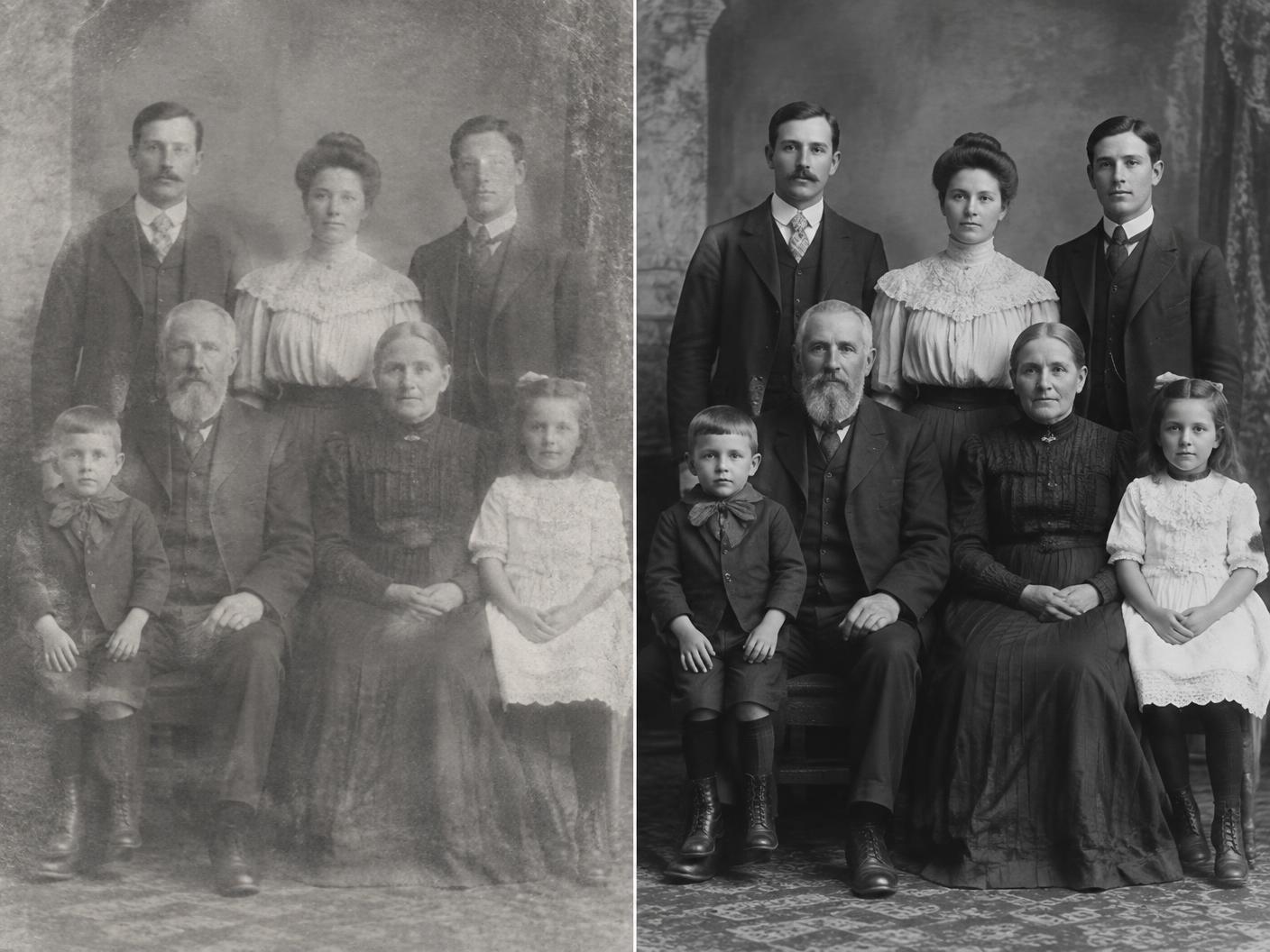 BEFOREAFTER
Why clarity matters
A family record is only as clear as its surviving scans
Portraits passed through albums, scanners and messaging apps often arrive soft, compressed and grey. When re-scanning the original is not possible, enhancement can make names, faces and family connections easier to preserve.
Simple by design
Clarify an archive photo in three steps
One credit enhances one photo. Your original remains untouched.
01
Upload the scan
Choose a black-and-white portrait, archive image or compressed family copy.
02
Restore the detail
Enhancify sharpens visible faces, cleans softness and upscales the image.
03
Export your copy
Compare it with the original, then download the enhanced version for your records.
What it handles
Useful across a family archive
- Black-and-white portraits
- Soft family scans
- Compressed JPEG copies
- Small archive photographs
- Newspaper and document photos
- Images shared through messaging apps
A fair question
Will it modernise or colourise the photograph?
Enhancify does not add colour as part of this workflow. It sharpens and upscales the image you provide, and the original remains available for comparison.
Predictable credits, no subscription
Start with 3 free credits. Continue with packs of 5 for $1.99, 15 for $4.99, or 50 for $9.99 whenever your archive needs them.
Try Enhancify freeCommon questions
Family history photo questions
Does it work on old black-and-white photographs?
Yes. Upload the monochrome image as it is; Enhancify sharpens and upscales it without adding colour.
Can it improve a low-resolution scan?
Yes. Upscaling and sharpening can make visible faces and textures clearer, though the result depends on the detail in the source.
Is there a subscription?
No. Start with 3 free credits and buy a credit pack only when you need more. Credits do not expire.
Does it alter the original file?
No. The original remains untouched, and Enhancify creates a separate enhanced result.
Can I enhance a whole archive at once?
Enhancify currently processes one photograph at a time, giving you a clear comparison and control over each result.
Give every face in the archive more clarity
Start with 3 free credits and no account, then use simple credit packs as your project grows.
Enhance an archive photo