
For estate agents & hosts
Listing photos that earn the click.
Upload a dim or grainy property shot and Enhancify lifts the visible detail and clarity, so the real room is easier to appreciate.
Enhancify works on the real room in your photograph. Review the comparison to ensure every listing stays accurate.
3 free credits · No account · No card · Any device
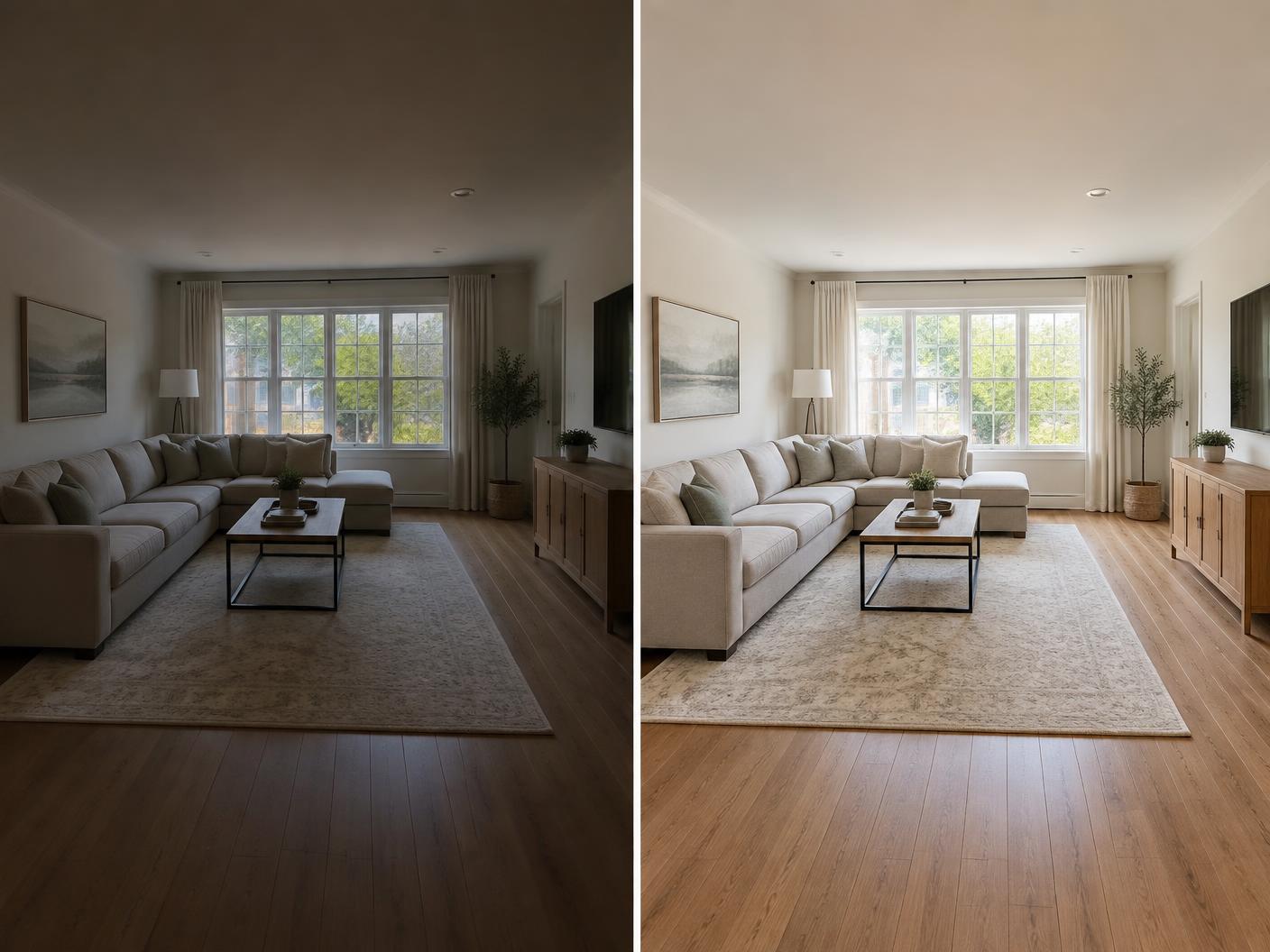 BEFOREAFTER
Why clarity matters
A dull photo is a listing people scroll past
Quick phone shots, low winter light and dark interiors can flatten an inviting space. Clearer listing images help potential buyers and guests understand the real room before they arrange a viewing or stay.
Simple by design
From phone shot to listing in seconds
One credit enhances one photo. Your original remains untouched.
01
Upload on site
Choose an interior, exterior or team photo from your phone, tablet or computer.
02
Enhance
Enhancify brightens visible detail, sharpens the image and reduces the soft appearance.
03
Publish
Check the before-and-after view, then download the clean image for your listing.
What it handles
Useful across a property listing
- Dim interior shots
- Grainy low-light rooms
- Exterior phone photos
- Rental listing images
- Agent team headshots
- On-site phone workflows
A fair question
Will it misrepresent the property?
Enhancify enhances the photograph rather than changing the room layout. You remain responsible for checking the result against the original and selecting an accurate image for the listing.
Fast, flexible credit packs
Begin with 3 free credits. Add more with Apple Pay, Google Pay or card: 5 for $1.99, 15 for $4.99, or 50 for $9.99. No subscription.
Try Enhancify freeCommon questions
Property photo enhancement questions
Can it improve grainy low-light interiors?
Enhancify can lift clarity and sharpen visible detail in dim photographs. The result depends on the quality and detail in the original shot.
Could it misrepresent the room?
The enhancement workflow does not intentionally add or remove room features. Check the result against the original before publishing it.
Does it work for exterior photos?
Yes. You can enhance interior and exterior property photographs, as well as related profile images.
Can I use it for agent headshots?
Yes. The same sharpening and upscaling workflow works for professional profile photographs.
Can I use it while I am at the property?
Yes. Enhancify works in a mobile browser, so you can upload and review a photo from your phone without creating an account.
Make the real space easier to see
Enhance your first three property photos free, directly from the device already in your hand.
Enhance a property photo