
For online sellers
Turn phone snaps into photos that sell.
Upload the product shots you already have and sharpen the visible labels, materials and texture buyers inspect before they click.
It enhances your real product photo, helping buyers inspect the actual item and its real condition more clearly.
3 free credits · No account · No card · Any device
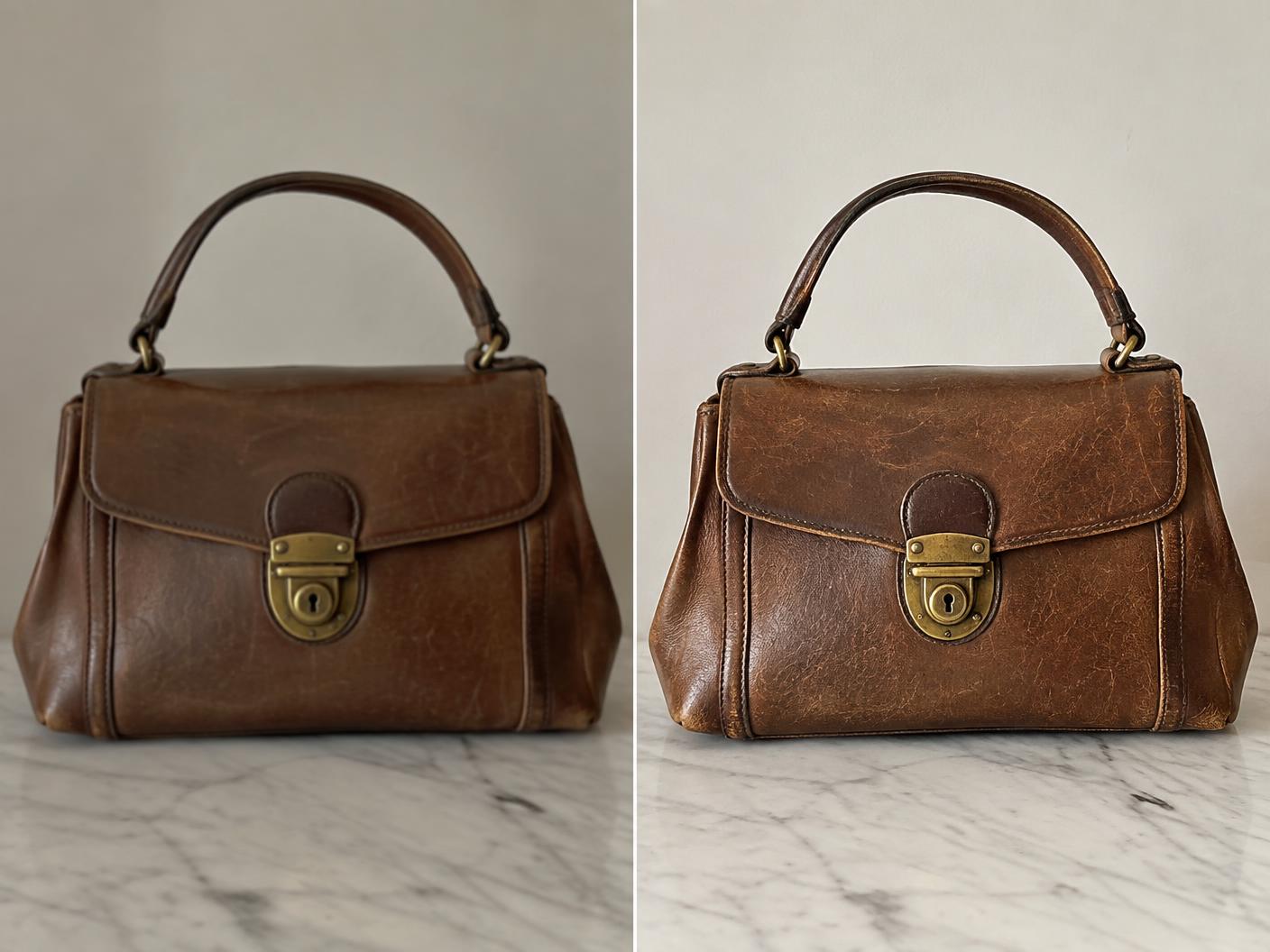 BEFOREAFTER
Why clarity matters
A dim photo can make a good item look like a risk
Buyers decide from the thumbnail. When material, labels and condition are soft or dark, they move on. Enhancing the real photograph gives your listing more clarity without the time or cost of a reshoot.
Simple by design
Listing-ready in three quick steps
One credit enhances one photo. Your original remains untouched.
01
Upload
Choose a product shot, label close-up or texture detail from your phone or computer.
02
Enhance
Enhancify sharpens visible detail, lifts clarity and upscales the image.
03
List
Compare the result, download it without a watermark, and add it to your marketplace listing.
What it handles
Clearer details for confident buyers
- Dim product shots
- Soft label close-ups
- Texture and stitching
- Vintage item condition
- Low-resolution catalogue images
- Marketplace zoom images
A fair question
Will it make the item look different from what I am selling?
Enhancify works on the actual photograph you upload and focuses on clarity. Always compare the enhanced result with the original and choose the version that represents the item accurately.
Pay only for the photos you use
Start with 3 free credits, then choose 5 for $1.99, 15 for $4.99, or 50 for $9.99. No account, no subscription and no watermark.
Try Enhancify freeCommon questions
Product photo enhancement questions
Can it sharpen labels and material details?
It can sharpen and upscale visible text, stitching and texture, though results depend on how much detail exists in the original image.
Will it change the real product?
The workflow enhances the photograph you provide. Compare the before and after carefully so your chosen image remains an accurate representation.
Can I use the result on a marketplace?
Yes. Download the enhanced image and use it anywhere your marketplace's own image rules allow.
Can I process a catalogue in one batch?
Enhancify currently processes images one at a time, so you can review every result before using it.
Does it work on desktop and tablet?
Yes. Enhancify runs in a modern browser on phones, tablets and desktop computers.
Give the item the clarity it deserves
Enhance your first three listing photos free, then pay only when you need more.
Enhance a product photo